Top Tips for Enhancing Your Home Office Setup
Optimize productivity with ergonomic furniture, proper lighting, and tech upgrades in your home office setup.
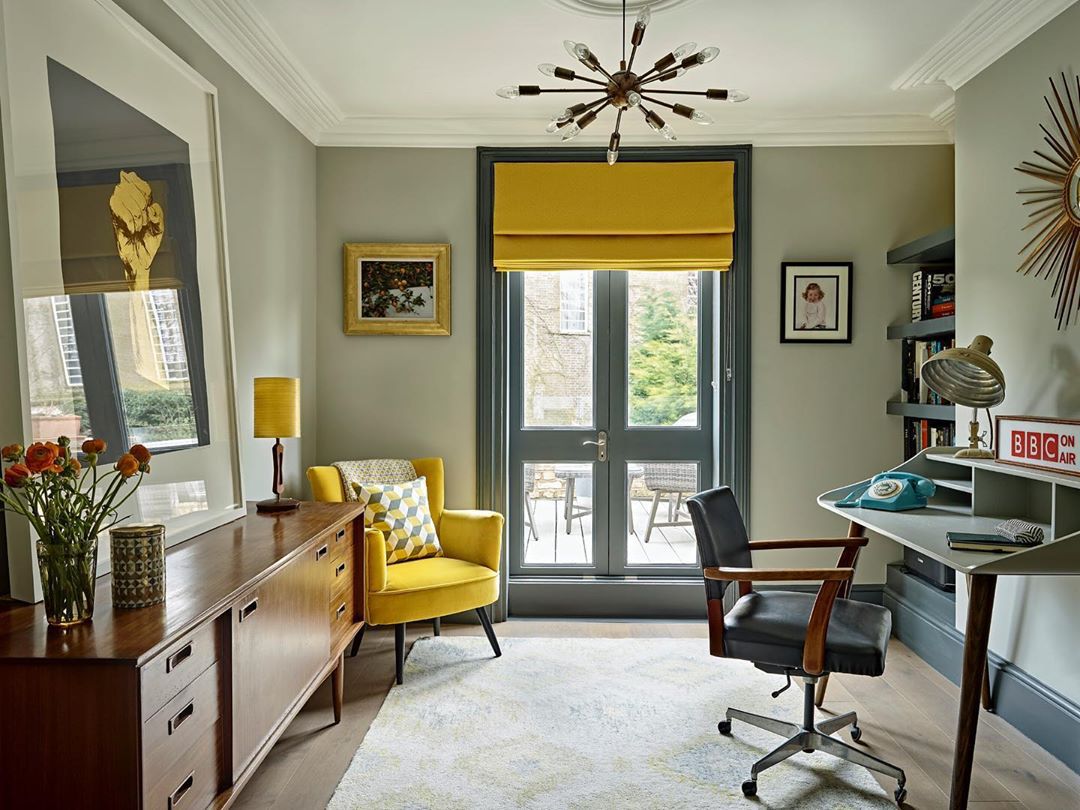
Ergonomic Furniture: The Backbone of Comfort
Creating a comfortable workspace begins with selecting the right ergonomic furniture. Start with a chair that offers lumbar support and is adjustable to your height and desk level. An ergonomic chair helps maintain a healthy posture, reducing the risk of back pain and enhancing focus. Pair it with a desk that suits your workflow, whether it's a standing desk or a traditional one with ample space for your gadgets. Consider the placement of your computer monitor to be at eye level to prevent neck strain. Investing in ergonomic accessories like a footrest or a keyboard tray can further optimize your setup. Remember, comfort is key to productivity, so choose pieces that support your daily activities and long-term health.
Lighting: Brighten Up Your Workspace
Lighting plays a crucial role in setting the mood and enhancing productivity in your home office. Ideally, position your desk near a window to take advantage of natural light, which can boost mood and reduce eye strain. If natural light is limited, invest in a good quality desk lamp that offers adjustable brightness and color temperature. LED lamps are energy-efficient and provide a range of lighting options. Consider using a combination of ambient, task, and accent lighting to create a well-lit environment that minimizes glare on your computer screen. Proper lighting not only enhances visibility but also creates a welcoming and inspiring workspace.
Technology and Equipment: The Right Tools for the Job
Equipping your home office with the right technology is essential for efficiency. Start with a reliable computer or laptop that meets your professional needs, whether it's for video conferencing, graphic design, or data analysis. Ensure you have a high-speed internet connection to support seamless communication and online tasks. Invest in a good quality webcam and microphone if video calls are frequent in your routine. For multitasking, consider using dual monitors to expand your digital workspace. Additionally, a wireless printer can be a valuable asset for printing documents without the clutter of cables. The right technology not only streamlines your work but also enhances productivity.
Organization: Declutter for Clarity
A clutter-free workspace leads to a clutter-free mind. Start by organizing your desk with essential items only, such as your computer, notepad, and a few writing instruments. Utilize storage solutions like shelves, drawers, and filing cabinets to keep documents and supplies neatly stored away. Consider using cable management tools to keep cords and wires tidy. Labeling systems can also be beneficial for quick access to important files. Regularly declutter your space to maintain order and efficiency. A well-organized office not only boosts productivity but also reduces stress and allows you to focus on your tasks without unnecessary distractions.
Personalization: Make It Your Own
Personalizing your home office can increase comfort and inspire creativity. Add elements that reflect your personality, such as artwork, plants, or family photos. Plants are especially beneficial as they can improve air quality and add a touch of nature to your environment. Choose colors and decor that motivate and energize you. Consider using a pinboard or whiteboard to display goals, inspirational quotes, or project timelines. Personal touches make your workspace feel inviting and can enhance your emotional well-being. Remember, your home office is an extension of yourself, so let it be a space that inspires and motivates you every day.
Sound Management: Create a Peaceful Environment
Managing sound is crucial for maintaining focus and productivity in your home office. Start by identifying sources of noise and consider solutions such as noise-canceling headphones or a white noise machine to block out distractions. If possible, soundproof your office with thick curtains, rugs, or acoustic panels. Consider playing soft background music or nature sounds to create a calming atmosphere. Ensure your workspace is free from disruptive noises by communicating with household members about your work hours and need for quiet. A peaceful environment allows you to concentrate better and enhances your ability to work efficiently.
Health and Wellness: Prioritize Your Well-being
Integrating health and wellness into your home office setup is essential for sustaining long-term productivity. Take regular breaks to stretch or walk around to prevent fatigue and maintain energy levels. Consider incorporating a standing desk converter to alternate between sitting and standing throughout the day. Hydration and nutrition are also important, so keep a water bottle nearby and schedule time for healthy meals. Ensure your workspace is well-ventilated to promote fresh air circulation. Prioritizing health and wellness in your office setup helps maintain physical well-being and reduces stress, enabling you to work more effectively.
Adaptability: Prepare for Change
A successful home office setup is one that can adapt to changing needs. As your work evolves, so should your workspace. Consider modular furniture that can be reconfigured as needed. Keep your technology updated to handle new software or tools that enhance your work. Stay informed about the latest trends in home office design and technology to ensure your setup remains efficient and effective. Flexibility in your workspace allows you to quickly adjust to new challenges and opportunities, ensuring you remain productive and satisfied with your work environment. Embrace change and innovation to keep your home office a dynamic and supportive space.